

Slay the Spire 2
PC Mar 2026
-
 Mod Required
-
 Mod Compatibility: Good
-
 Automatic Setup: Full
-
 Auto Uninstaller
-
How to Setup Crowd Control with Steam
Guide
Slay The Spire 2
Install the Crowd Control Desktop App and follow the General Setup Guide
Need help? Reach out via Discord or check the FAQ
1. Start with the App
Multiplayer is currently in development and unstable at this time!
- Open Crowd Control Desktop App
- Select Slay The Spire 2 from the game list
- Follow the Auto Setup checklist (left side of app)
The host player requires the mod and joining players require the mod for effects to trigger!
2. Test Before You Stream
- You can only test effects after pressing “Start Session” in the Crowd Control app
- Always test a few effects before going live to confirm effects trigger as expected
Skipping this step can lead to broken streams and confusion!
Modded Profile
Modding Slay the Spire 2 automatically creates a “modded profile,” separating your modded saves from vanilla gameplay. The game will detect mods on launch if you are not in an active run.
To restore your saves, follow the uninstall steps below.
Steam Branch Support
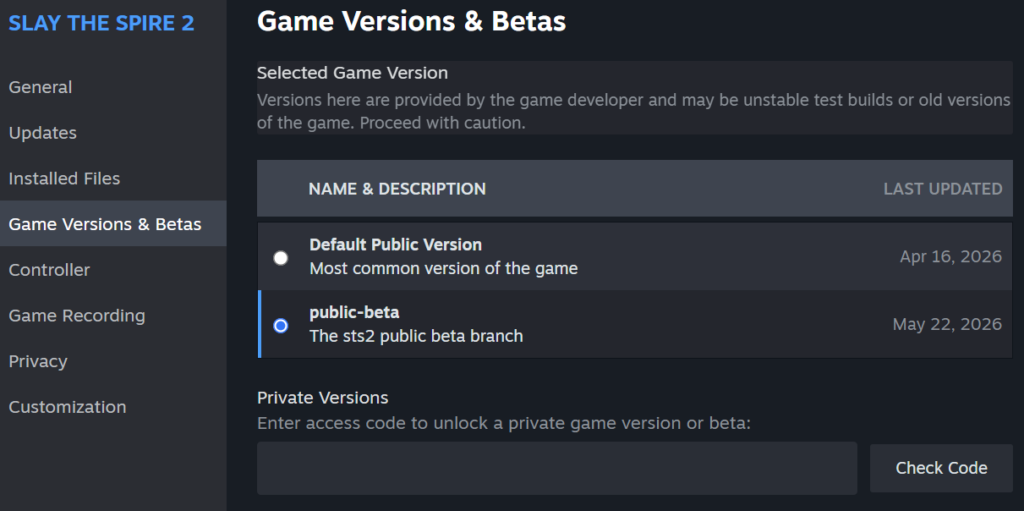
We currently support the public-beta branch of the game. The Crowd Control app will detect if you’re not on the right branch.
Right-Click on the Game in Steam, and choose Properties.. and then select Game Versions & Beta. Then select the public-beta branch.
Troubleshooting
- “Desync Error”: This will happen during multiplayer sessions when all users do not have the latest mod installed. Our mod does not support multiplayer at this time.
- “Awaiting connector”:
- End or complete your current run and re-launch the game.
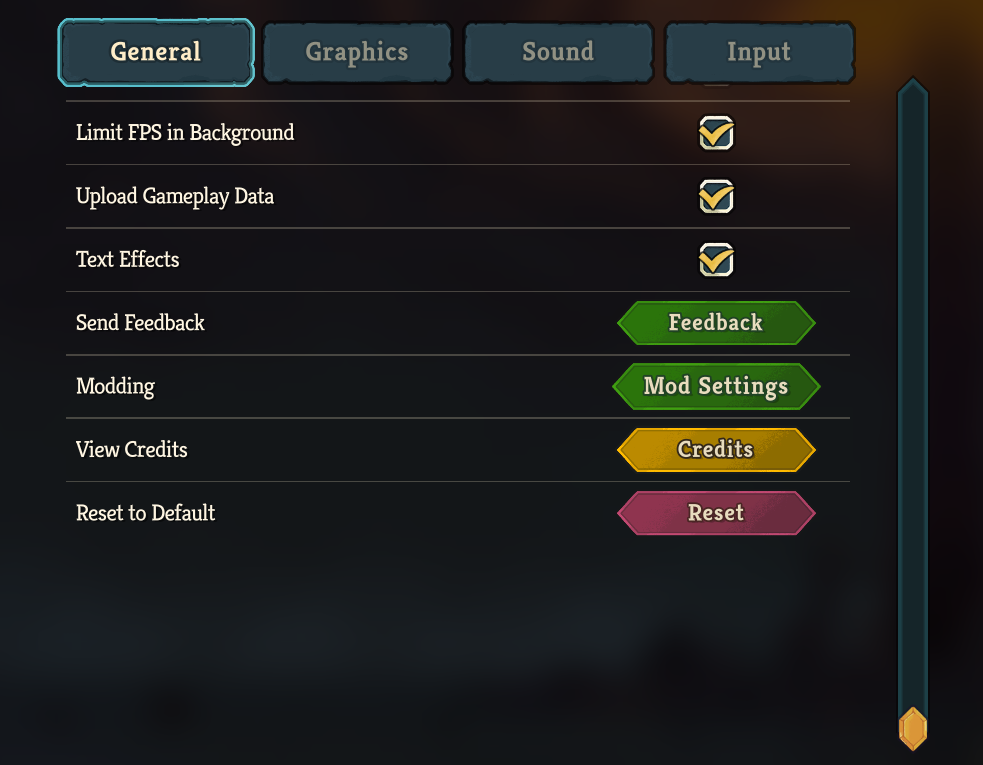
- Use Mod Settings to enable or enable/disable the mod.
- Settings > General > Mod Settings
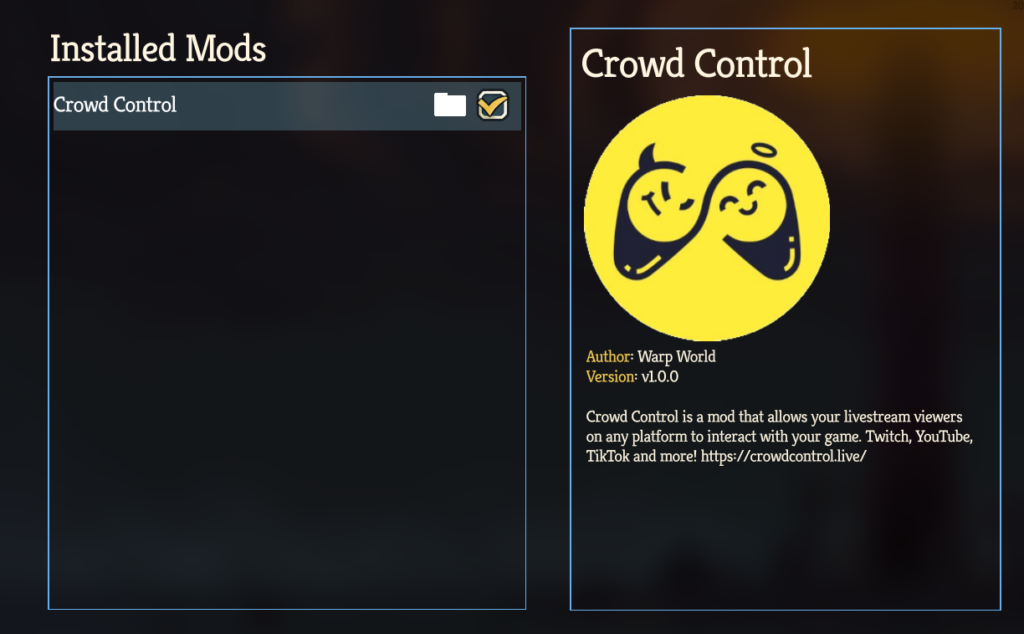
Mod Compatibility
- Our mod can be managed from the in-game mod manger
- Settings > General > Mod Settings
- Our mod package: SlayTheSpire2-CC.zip
- Zip should be extracted to the main install folder.
- Other mods may work, but have not been tested with Crowd Control.
- If you have issues, try with just Crowd Control.
No mod conflicts reported so far!
- If you find a mod that causes issues, let us know!
Game Version
Our support has been tested with the Steam version of the game. Other game stores may work but have not been tested.
Looking for another game store? Submit a request to our Discord, #cc-requests.
Uninstall
To uninstall the Crowd Control mod:
- From the CC desktop app, select your game.
- Click the trash icon 🗑️ next to “Mod Installed” to run the uninstaller.