
Crowd Control Setup Guides
CC Setup Guides
Pokemon Red & Blue
Version Support
We support he USA Version of Pokemon Red and Blue.
We do not support any randomizer or mods at this time.
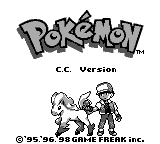
If the application is unable to use your ROM it will let you know. Also to ensure the game is working, you should see “C.C. Edition” on the title screen of the game!
Gameplay Note
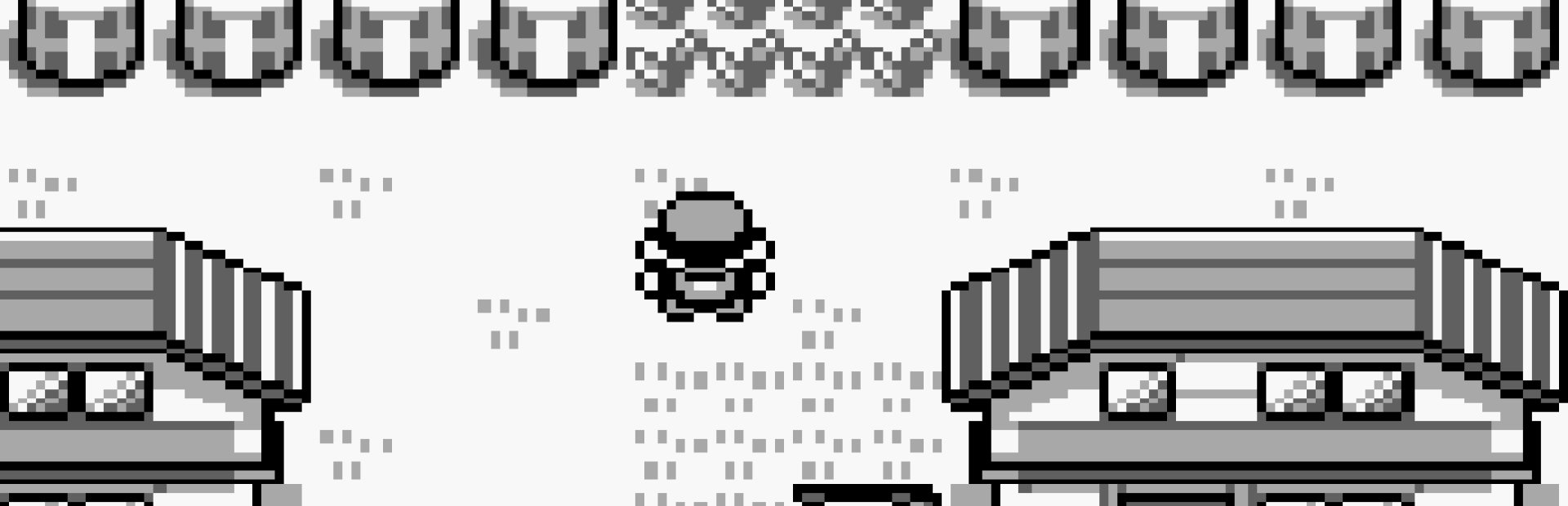
We updated the behavior of the Pokemon Mart, instead of just getting Oak’s Parcel, you now also get the Pokedex here. This solves the issue with not being able to get past the old man. You do not need to deliver the parcel to Oak.
Bizhawk Support
Before you are able to play any Game Boy game with Bizhawk, you will need to get a legally obtained backup of your Game Boy’s BIOS. Import the GB BIOS, Config > Firmwares. Find GB, right click and Set Custom . This will allow you to browse to your BIOS. After selecting BIOS, choose the relaunch option or close out Bizhawk and reopen from the CC app.

An example of GB BIOS may look like:
Filename: bios_gb.bin, [BIOS]
Filename: bios_gb.bin, [BIOS]
Bizhawk GBC Support
Here are some tips for getting Pokémon Red/Blue set for GBC, which can look much better for streams. This will require the same ROM as before, but this time we need the GBC BIOS to continue and the GBC setting enabled.
Import the GBC BIOS, Config > Firmwares. Find GBC, right click and Set Custom. This will allow you to browse to your BIOS. After selecting BIOS, choose the relaunch option or close out Bizhawk and reopen from the CC app.

For reference, GBC BIOS may look like:
After starting Pokemon, change the console from GB > Settings, and change Console Mode
Version Support
We support he USA Version of Pokemon Red and Blue.
We do not support any randomizer or mods at this time.
If the application is unable to use your ROM it will let you know. Also to ensure the game is working, you should see “C.C. Edition” on the title screen of the game!
Gameplay Note
We updated the behavior of the Pokemon Mart, instead of just getting Oak’s Parcel, you now also get the Pokedex here. This solves the issue with not being able to get past the old man. You do not need to deliver the parcel to Oak.
Bizhawk Support
Before you are able to play any Game Boy game with Bizhawk, you will need to get a legally obtained backup of your Game Boy’s BIOS. Import the GB BIOS, Config > Firmwares. Find GB, right click and Set Custom . This will allow you to browse to your BIOS. After selecting BIOS, choose the relaunch option or close out Bizhawk and reopen from the CC app.
An example of GB BIOS may look like:
Filename: bios_gb.bin, [BIOS]
Bizhawk GBC Support
Here are some tips for getting Pokémon Red/Blue set for GBC, which can look much better for streams. This will require the same ROM as before, but this time we need the GBC BIOS to continue and the GBC setting enabled.
Import the GBC BIOS, Config > Firmwares. Find GBC, right click and Set Custom. This will allow you to browse to your BIOS. After selecting BIOS, choose the relaunch option or close out Bizhawk and reopen from the CC app.
For reference, GBC BIOS may look like:
After starting Pokemon, change the console from GB > Settings, and change Console Mode
Ready to get Started?
Start Streaming the Interactive Way
Have any Questions?
Check our FAQs, or join Discord for Support
Making a Game?
Consider integrating Crowd Control!
