
Ship of Harkinian
PC Jan 2023
-
Built-in Support
-
Multiple Version Support
-
Randomizer Supported
-
Manual Setup
Guide
Ship of Harkinian (PC)
You can follow the general setup guide & FAQ above for extra help with the Twitch Extension, the Crowd Control Desktop Client and other options.
If you have any questions or need help with this setup, please head over to our discord for additional support!
Setup
You will need to get a working version of SoH before proceeding, head over to their discord or github to see the setup steps and make sure to grab the latest version, 7.0.0+!
- Select “Ship of Harkinian” from the Crowd Control desktop app.
- Once you have a working version of SoH, enable Crowd Control.
- SoH v7-v8: Press F1 to enable the menu > Enhancements > Extra Modes , after pressing F1.
- You will need to restart SoH after enabling this setting.
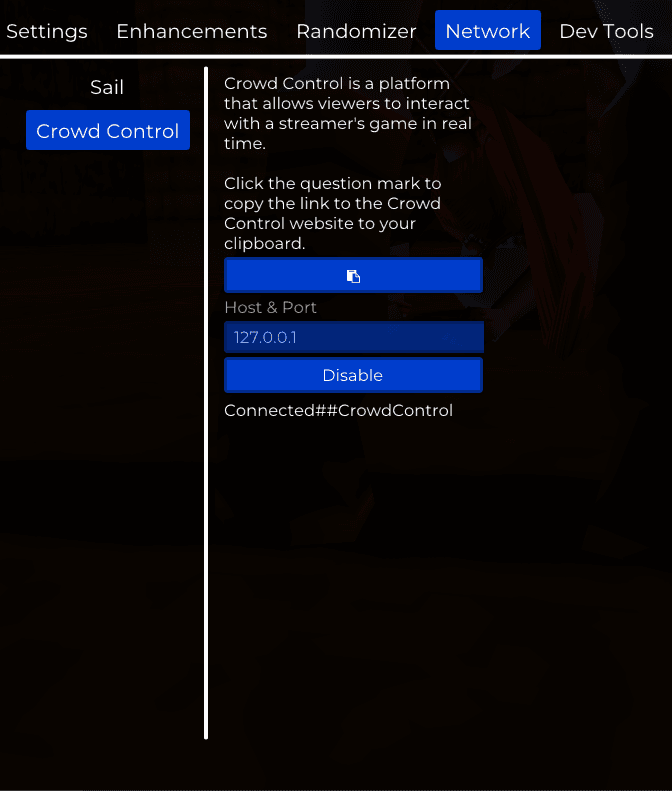
- SoH v9 (latest): Press ESC to enable the menu > Network > Crowd Control, click Connect!
- SoH v7-v8: Press F1 to enable the menu > Enhancements > Extra Modes , after pressing F1.
- In the CC desktop app, when asked to select a path, select the main install folder where
soh.exeis located. - Use the CC app to Launch Game.
- Press Start in the CC app!

Enabling randomizer is not required to play Crowd Control!
Credits
Thanks to dcvz and the rest of the SoH team and contributors for including us in this awesome project!