Guide
Rust Local Server
COMING SOON!?!
Install the Crowd Control Desktop App and follow the General Setup Guide
Need help? Reach out via Discord or check the FAQ
Local Server Setup
Use local server if you plan on playing alone. This will automatically download and run a server on your local machine!
- Open Crowd Control Desktop App
- Select Rust from the game list
- Follow the Auto Setup checklist (left side of app)
- Server Type: Local
- Click to install
- This may take several minuets to complete, based on internet speed.
- You’ll have to run this again when the game updates!
- Launch Server
- This may take several minuets to complete, based on PC specs.
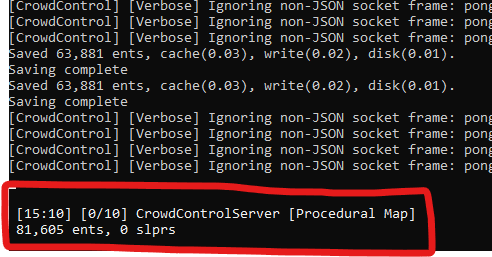
- You should notice “CrowdControlServer [Procedural Map]” in the bottom left corner when the server is fully running.
- Launch Game and connect to server
- Press F1 to open the console and enter:
client.connect localhost
- Press F1 to open the console and enter:
- Connect to Crowd Control: Follow the steps in the main guide
