

Crowd Control Setup Guides
CC Setup Guides
Crowd Control Goals
Goals allow you to display Crowd Control coin or revenue goals on your stream.
To get started, head to the Overlays tab of your Crowd Control Desktop App and select Goals.
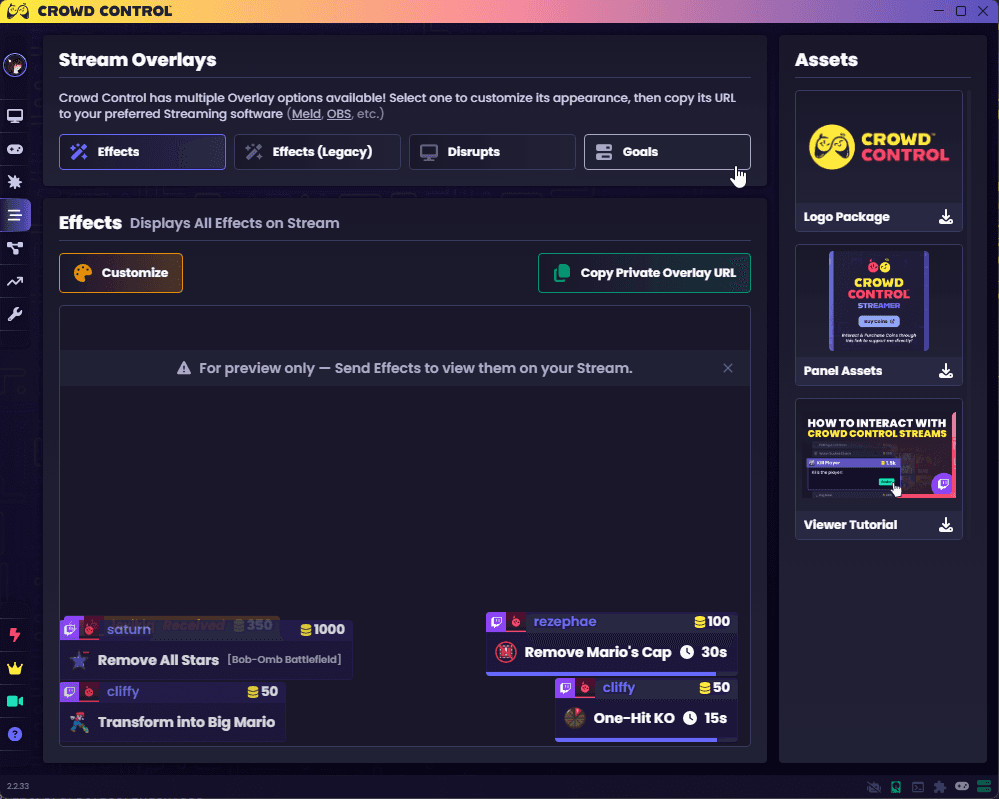
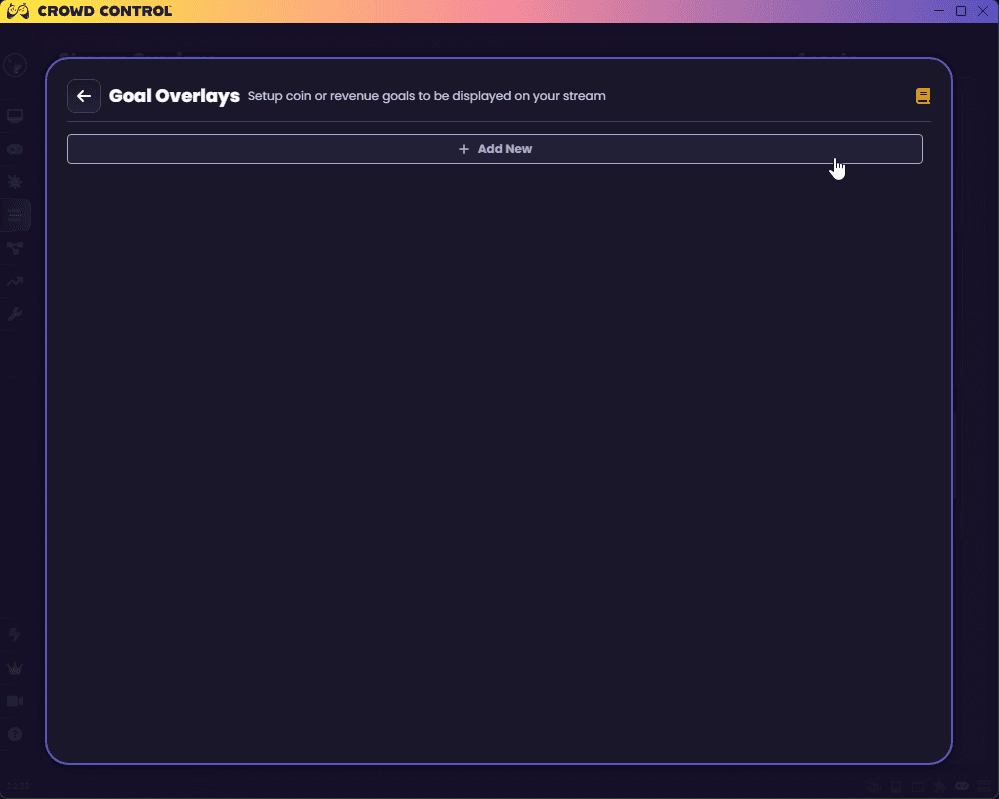
At the top, you can select Add New to create your first Goal.
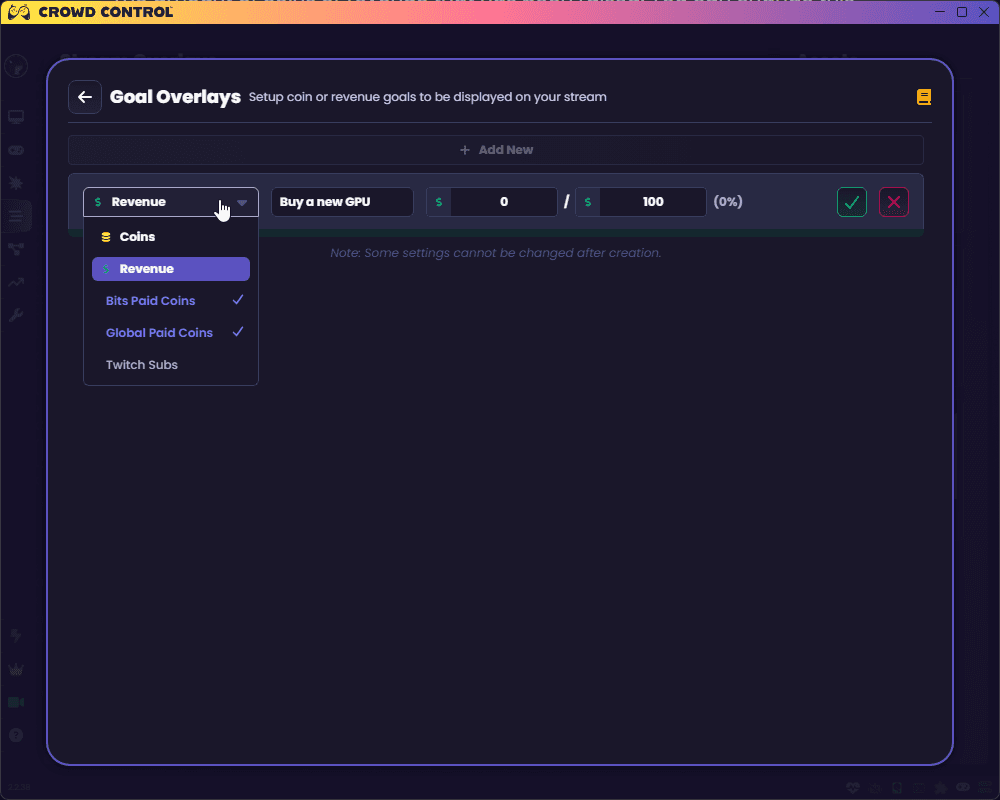
This will open up the editor bar where you can configure settings about the goal. From left to right, the current options are:
Whether the goal is active; inactive goals will not get updated with new donations.
Note this option is hidden on initial creation.
The type of goal, coins or revenue in USD.
Goals are updated when effects are successfully redeemed
Coin goals show all coins spent on the stream, free or paid
Revenue goals show revenue post-split from paid coins spent on effects
Effects goals show how many effects have been successful on your stream
Unique Users goals is like effects but a viewer can only contribute to it once
Note that the type of goal cannot be changed after creation
The display name for the goal. Optional, and not used on all overlays.
The amount of coins or revenue that has been raised. You can change this value to manually count external sources, reset it to zero, etc.
The target coins or revenue you want to hit with this goal. Not used on all overlays.
Confirm/Cancel the new goal.
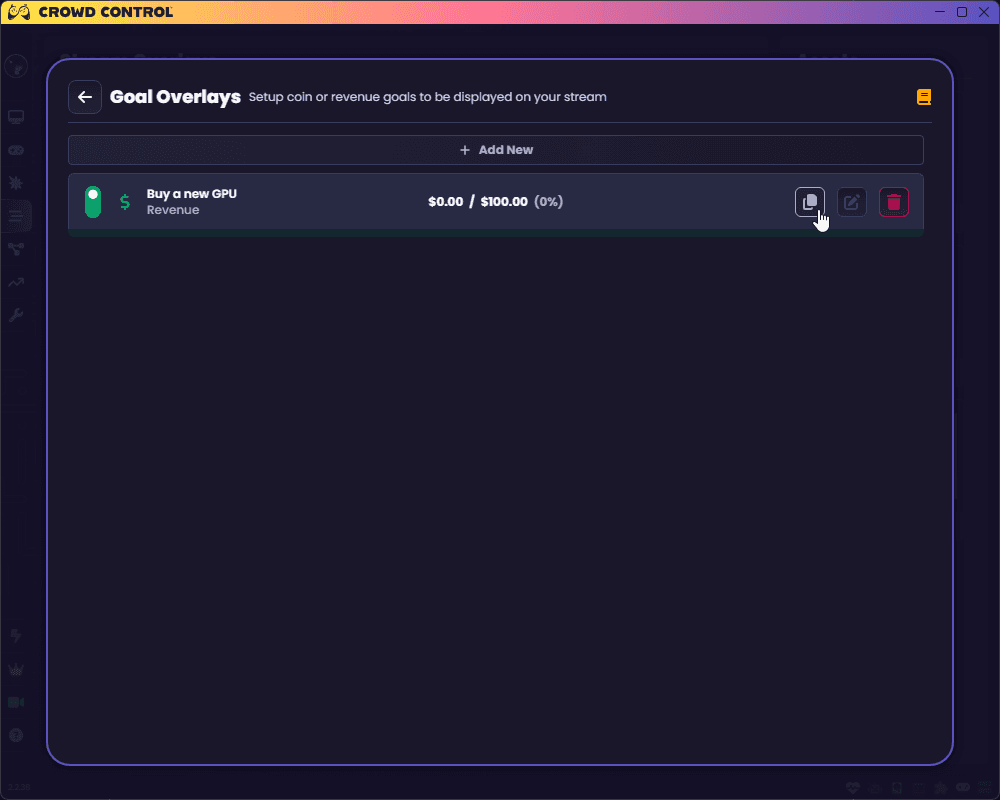
From here, you can edit your new goal by clicking the pencil, or add it to your streaming software by clicking the copy button.
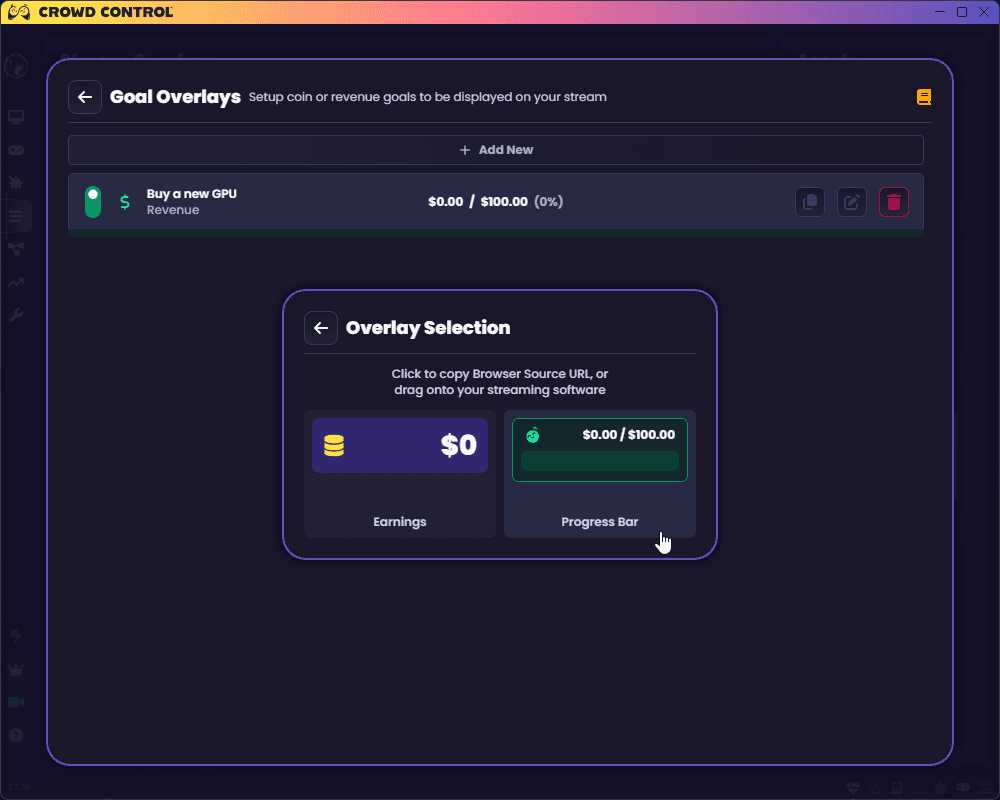
This pops up a menu showing several different styles of overlay that you can select from. Some overlays show all the information about a goal, while others only show select data such as the amount raised.
You can click on an overlay styles to copy its URL to your clipboard, which can then be inserted into a Browser Source in your streaming software. Some streaming softwares also support dragging and dropping the overlay directly into the software.
You can create as many goals as you want and use as many overlays as you want. You can even add multiple overlays for the same goal.
If a goal is not loaded as an overlay into a streaming software for a few weeks, it may be automatically disabled to save on processing power. This will cause any overlays you have for that goal to turn invisible on your stream. You can turn the goal back on at any time.
Tips
While we are planning to add a Partner Progress overlay, you can manually create one using Goals.
Create a Revenue goal set to $150 from paid coins, or a Coins goal set to 18,750 from paid coins
Create a Unique Users goal set to 20 from paid coins
Recreate the goals at the start of each month
Goals allow you to display Crowd Control coin or revenue goals on your stream.
To get started, head to the Overlays tab of your Crowd Control Desktop App and select Goals.
At the top, you can select Add New to create your first Goal.
This will open up the editor bar where you can configure settings about the goal. From left to right, the current options are:
Whether the goal is active; inactive goals will not get updated with new donations.
Note this option is hidden on initial creation.
The type of goal, coins or revenue in USD.
Goals are updated when effects are successfully redeemed
Coin goals show all coins spent on the stream, free or paid
Revenue goals show revenue post-split from paid coins spent on effects
Effects goals show how many effects have been successful on your stream
Unique Users goals is like effects but a viewer can only contribute to it once
Note that the type of goal cannot be changed after creation
The display name for the goal. Optional, and not used on all overlays.
The amount of coins or revenue that has been raised. You can change this value to manually count external sources, reset it to zero, etc.
The target coins or revenue you want to hit with this goal. Not used on all overlays.
Confirm/Cancel the new goal.
From here, you can edit your new goal by clicking the pencil, or add it to your streaming software by clicking the copy button.
This pops up a menu showing several different styles of overlay that you can select from. Some overlays show all the information about a goal, while others only show select data such as the amount raised.
You can click on an overlay styles to copy its URL to your clipboard, which can then be inserted into a Browser Source in your streaming software. Some streaming softwares also support dragging and dropping the overlay directly into the software.
You can create as many goals as you want and use as many overlays as you want. You can even add multiple overlays for the same goal.
If a goal is not loaded as an overlay into a streaming software for a few weeks, it may be automatically disabled to save on processing power. This will cause any overlays you have for that goal to turn invisible on your stream. You can turn the goal back on at any time.
Tips
While we are planning to add a Partner Progress overlay, you can manually create one using Goals.
Create a Revenue goal set to $150 from paid coins, or a Coins goal set to 18,750 from paid coins
Create a Unique Users goal set to 20 from paid coins
Recreate the goals at the start of each month
Ready to get Started?
Start Streaming the Interactive Way
Have any Questions?
Check our FAQs, or join Discord for Support
Making a Game?
Consider integrating Crowd Control!
