
Features

Resources

Features

Resources

Game box art
Giltsteader
No headings found on page

Crowd Control Setup Guides

CC Setup Guides

Getting Started

New to Crowd Control? Check out the

Stuck or have other questions? Reach out on

or check our

Buy “Giltsteader - Tower Defense” from the Steam Store!

  1. Launch the game and head to Settings.

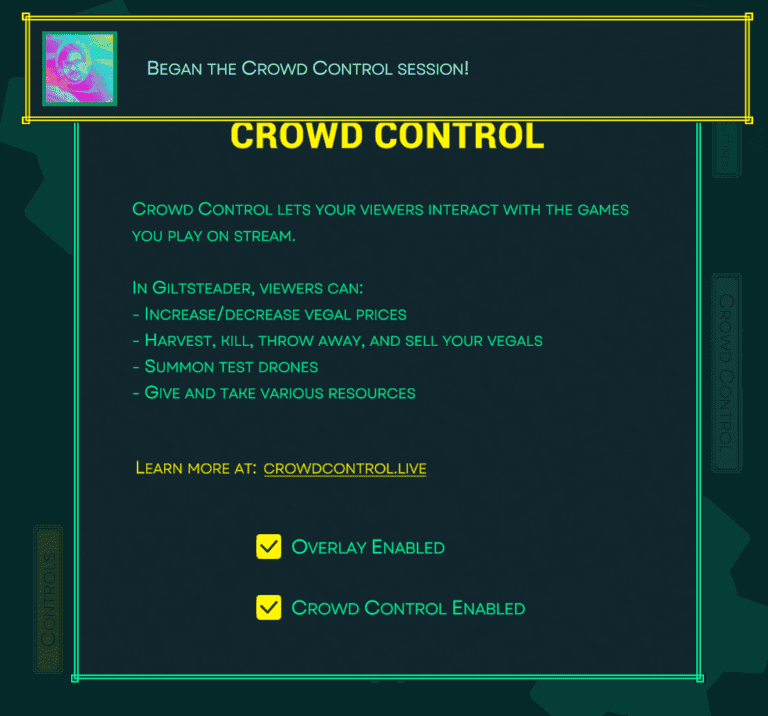
  2. Click Crowd Control on the side panel.

  3. Click the checkbox for Crowd Control Enabled

  4. Follow the prompts to login.

  5. After logging in, you should see your session is active.

  6. You can use the Crowd Control desktop app to further edit effect prices and settings!

Ready to get Started?

Start Streaming the Interactive Way

Have any Questions?

Check our FAQs, or join Discord for Support

Making a Game?

Consider integrating Crowd Control!