Features

Resources

Features

Resources

Game box art
Dungeons4
No headings found on page

Crowd Control Setup Guides

CC Setup Guides

Getting Started

New to Crowd Control? Check out the

Stuck or have other questions? Reach out on

or check our

Setup

Use the Crowd Control desktop app to install this mod!

  1. Go and buy Dungeons 4 on Steam!

  2. Download the Crowd Control desktop app and select Dungeons 4!

  3. Use the CC app to install the mod!

  1. Press the Launch Game button.

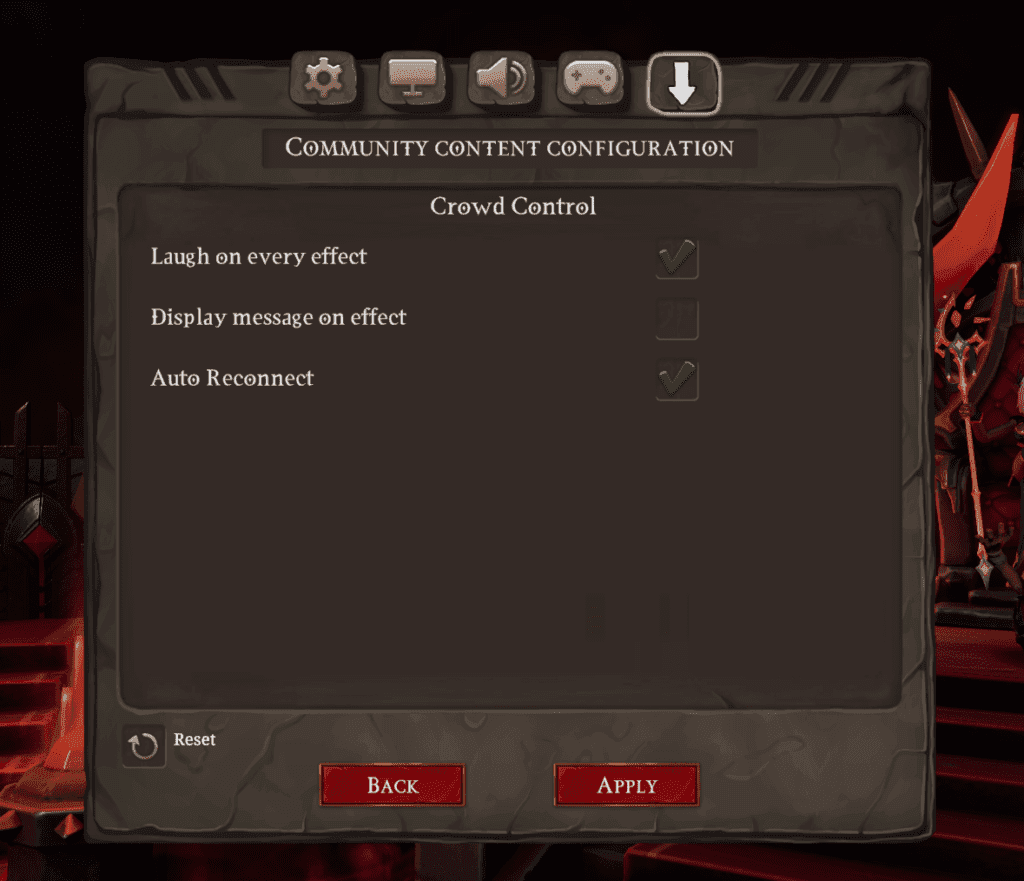
  2. Once in the game, head to Options and the click the down arrow tab to get to mod options.

  • Adjust these settings as needed!

  1. Press START in the CC app and test effects using the Effect Manager!

Credits

Thanks to imi and the rest of he team behind Dungeons 4 for including us in your project! Go check out Dungeons 4 on Steam https://store.steampowered.com/app/1643310/Dungeons_4/

Ready to get Started?

Start Streaming the Interactive Way

Have any Questions?

Check our FAQs, or join Discord for Support

Making a Game?

Consider integrating Crowd Control!