Image

Features

Resources

Image
Image

Features

Resources

Game box art
Zodiac13
No headings found on page

Crowd Control Setup Guides

CC Setup Guides

13Z: The Zodiac Trials

Getting Started

New to Crowd Control? Check out the

or check our

This game has Crowd Control build in! Grab 13Z: The Zodiac Trials DEMO on Steam today, as part of the Steam Nextfest!

Setup

This game has Crowd Control built-in, so launch the game to connect!

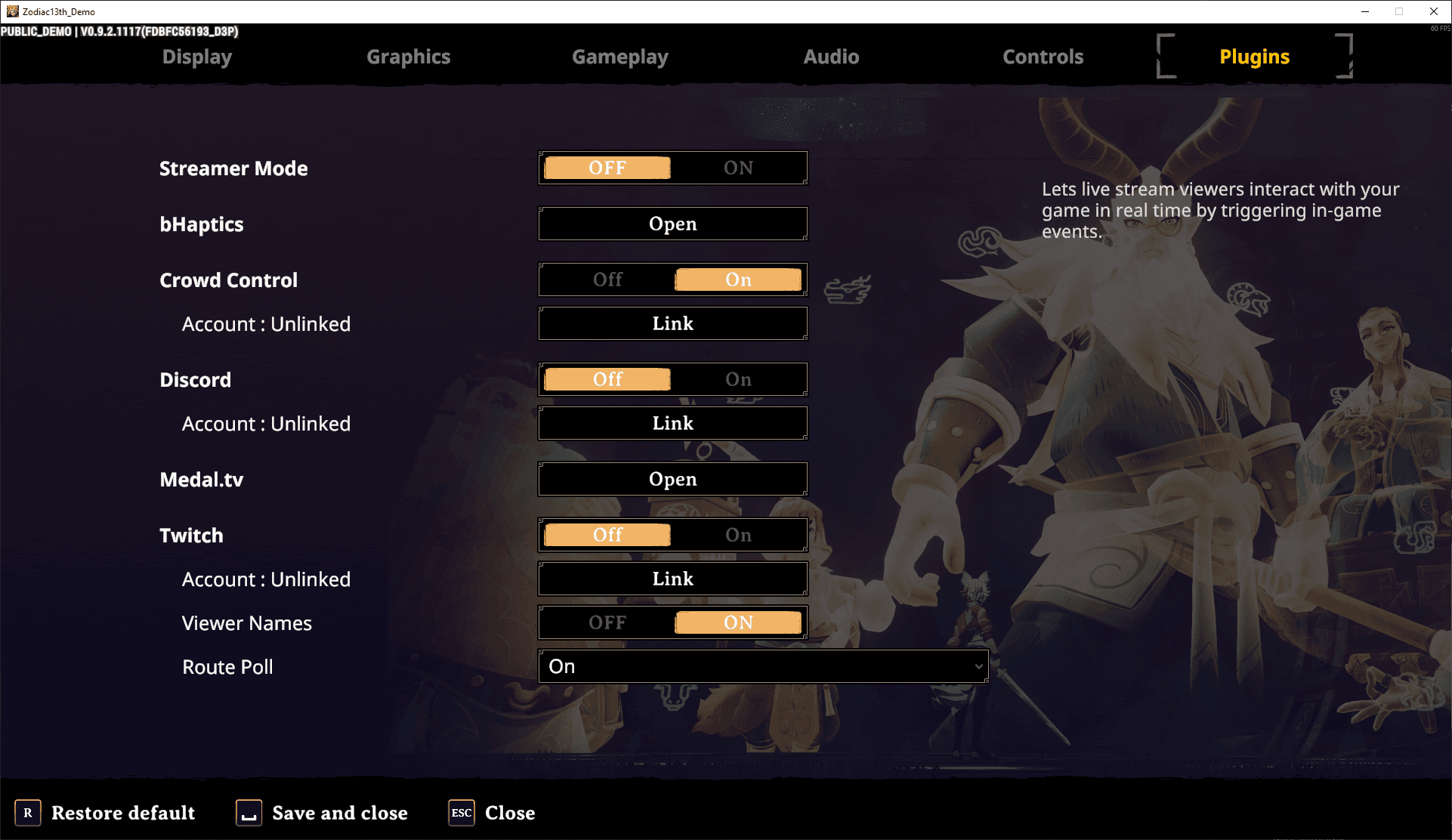
  • To connect to Crowd Control, head to Options > Plugins.

  • Flip Crowd Control to On and press Link.

  • After logging in, you session will START!

Desktop App

Continue to the Crowd Control desktop app to adjust price settings, setup additional triggers, integrations, overlays and user settings!

This game has Crowd Control build in! Grab 13Z: The Zodiac Trials DEMO on Steam today, as part of the Steam Nextfest!

Setup

This game has Crowd Control built-in, so launch the game to connect!

  • To connect to Crowd Control, head to Options > Plugins.

  • Flip Crowd Control to On and press Link.

  • After logging in, you session will START!

Desktop App

Continue to the Crowd Control desktop app to adjust price settings, setup additional triggers, integrations, overlays and user settings!

Ready to get Started?

Start Streaming the Interactive Way

Have any Questions?

Check our FAQs, or join Discord for Support

Making a Game?

Consider integrating Crowd Control!